The Wizard Test Maker
By Browsing The Topics
After you select your question database you will be in "The Study".
Click on Create Test.
Click on By Browsing The Topics.
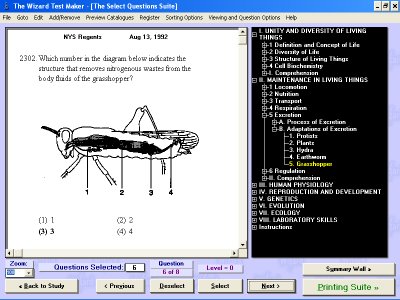
You are now in the "Select Questions Suite". On the right side of the screen you will see all the Units in your database.
By clicking the "+" next to a Unit you will be able to specify a specific subtopic.
A question from that subtopic will appear on the left.
To see more questions from that Topic click next.
To add a question to your test click Select.
Note: A question that is selected will show the word "SELECTED" in red on the top left of the screen.